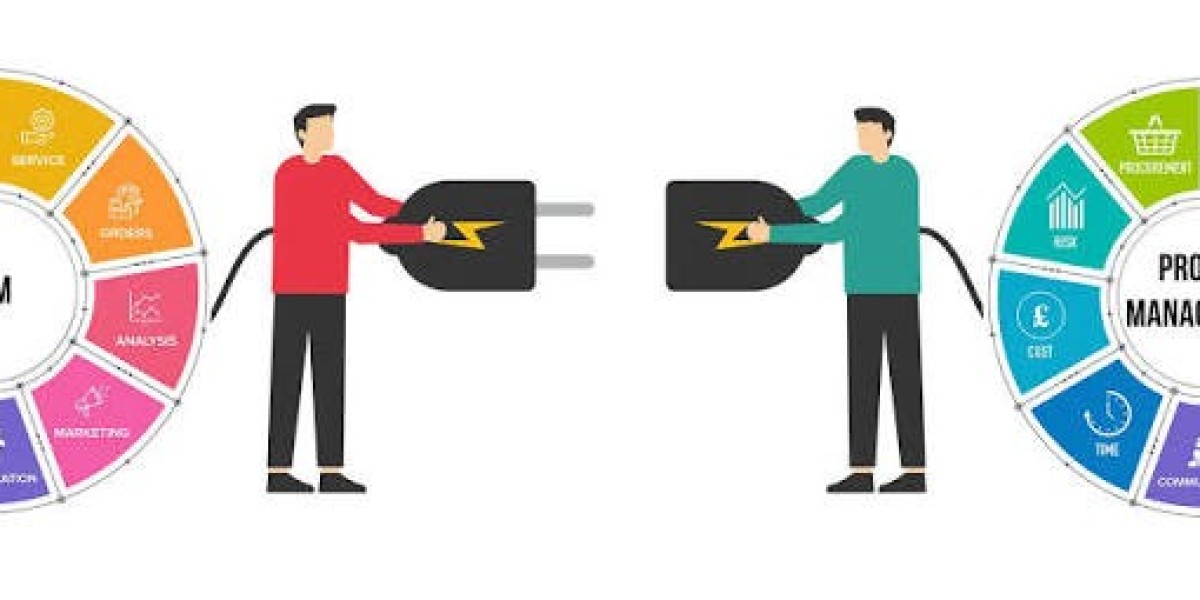

Modern businesses rely on a wide range of software applications to manage their daily operations. From customer relationship management and accounting to marketing, communication, and project management, companies often use multiple cloud-based platforms. While these tools can improve productivity, managing disconnected applications can create unnecessary work. SaaS integration services provide a solution by connecting different software applications and allowing them to work together more efficiently.
By integrating SaaS platforms, businesses can streamline workflows, improve data sharing, reduce manual tasks, and create a more connected digital environment.
What Are SaaS Integration Services?
SaaS integration services involve connecting Software as a Service (SaaS) applications so that they can exchange information and work together. SaaS platforms are typically hosted in the cloud and accessed through the internet, making them flexible and easy to scale.
For example, a company may use one platform for sales, another for accounting, and a separate application for email marketing. Without integration, employees may need to manually transfer information between these systems. With SaaS integration, relevant data can automatically move between applications.
This helps businesses create smoother and more automated processes.
Why SaaS Integration Is Important
As businesses adopt more cloud applications, integration becomes increasingly important. Employees may spend significant amounts of time entering the same information into multiple systems when applications are not connected.
SaaS integration can reduce this duplication by automating data transfers and business processes. When information is synchronized between platforms, employees can spend more time focusing on productive and strategic tasks.
Integration can also improve visibility. Instead of keeping important information isolated in different applications, businesses can create connected workflows that make data easier to access and manage.
Benefits of SaaS Integration Services
1. Improved Workflow Automation
Automation is one of the main advantages of SaaS integration. Businesses can create workflows that automatically perform actions when specific events occur.
For example, when a new customer submits a form, their information could be transferred automatically to a CRM system. A follow-up email or internal notification could then be triggered without requiring manual intervention.
2. Better Data Accuracy
Manual data entry can result in duplicate records, missing information, and human errors. Integration can help reduce these problems by transferring information automatically between connected systems.
Keeping data synchronized also helps employees work with more consistent and up-to-date information.
3. Increased Productivity
Employees often work with several applications throughout the day. Constantly switching between systems or copying information from one platform to another can consume valuable time.
SaaS integrations can simplify these processes and allow employees to access the information they need more efficiently.
4. Enhanced Customer Experience
Connected systems can help businesses respond to customers more quickly. When customer information is available across relevant platforms, sales and support teams can gain a clearer understanding of customer interactions.
This can make communication more consistent and help businesses provide more personalized service.
5. Scalable Business Operations
As a company grows, it may adopt additional applications and services. A well-planned integration strategy can make it easier to connect new tools with existing systems.
This allows businesses to expand their technology environment without creating unnecessary manual processes.
Common SaaS Applications That Can Be Integrated
SaaS integration can be used across many areas of a business. Common examples include CRM platforms, accounting software, payment systems, email marketing tools, customer support applications, project management platforms, e-commerce systems, and communication tools.
For example, an online store may connect its e-commerce platform with inventory management and accounting software. A sales team might integrate its CRM with email marketing and customer communication tools.
The specific integrations required depend on the company's workflows, technology stack, and business objectives.
How SaaS Integration Works
SaaS applications are commonly connected through APIs, webhooks, integration platforms, or custom-built solutions. APIs allow different applications to communicate and exchange data according to defined rules.
During an integration project, specialists typically review the existing systems, identify the required data flows, define business rules, and configure or develop the necessary connections.
Testing is also an important part of the process. Before an integration goes live, businesses should verify that data is transferred correctly and that automated workflows behave as expected.
Choosing a SaaS Integration Service Provider
Selecting the right integration provider is an important decision. Businesses should consider the provider's technical experience, understanding of SaaS platforms, security practices, scalability, and support capabilities.
A good integration strategy should also consider future business requirements. Integrations should be designed to remain manageable as applications, users, and data volumes increase.
Businesses should clearly define their goals before starting an integration project. Identifying which processes consume the most time and which systems need to exchange information can help establish priorities.
Security and Data Protection
Security should be a key consideration when connecting cloud applications. Integrations may involve transferring sensitive business or customer information between systems.
Businesses should use appropriate authentication methods, access controls, encryption, monitoring, and secure data-handling practices. Integration providers should also understand the security requirements and compliance obligations relevant to the business.
Conclusion
SaaS integration services help businesses connect their cloud applications and create more efficient digital workflows. By automating data transfers, reducing manual work, improving data consistency, and connecting business processes, SaaS integration can support productivity and operational efficiency.
Whether a company is connecting two applications or managing a complex network of cloud platforms, a well-planned integration strategy can make its technology environment more connected and easier to manage. As businesses continue adopting SaaS solutions, integration will remain an important part of building efficient and scalable digital operations.






