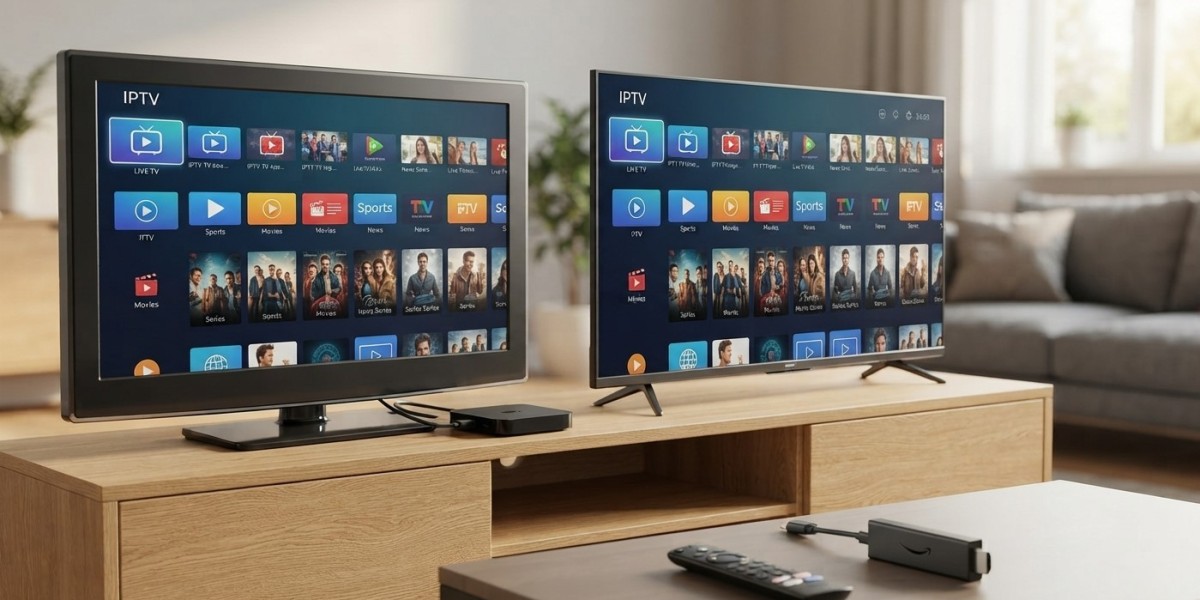

If you've got an older TV at home and you're wondering whether you'll need to upgrade before switching to IPTV, here's some reassuring news: you almost certainly don't. While Smart TVs offer the most direct path to streaming, plenty of affordable add-on devices can turn any regular TV into a fully capable IPTV setup. This guide breaks down exactly what you need based on the TV you already own, so you can start enjoying Indian IPTV USA without unnecessary hardware upgrades.
Table of Contents
- The Short Answer
- If You Already Have a Smart TV
- If You Have an Older, Non-Smart TV
- Turning Any TV into an IPTV-Ready TV
- Comparing Your Options
- What Matters More Than Having a Smart TV
- Setting Up IPTV on a Non-Smart TV
- Frequently Asked Questions
The Short Answer
No, you don't need a Smart TV to use IPTV. Any television with an HDMI port can run IPTV once paired with an affordable external device, such as a Firestick, Android TV box, or a dedicated set-top box. The "smart" part of a Smart TV simply refers to built-in internet and app capability, and that functionality can easily be added externally to virtually any TV made in the last couple of decades.
If You Already Have a Smart TV
If your television already runs Android TV, Google TV, or another app-friendly platform, you're in the best possible position. Depending on your TV's specific operating system, you may be able to install an IPTV player app directly from the built-in app store, or sideload one if needed. This means you could start streaming Indian channels without purchasing any additional hardware at all.
Keep in mind that not all Smart TVs are equally IPTV-friendly. Platforms like Samsung's Tizen OS and LG's webOS have more limited native app support compared to Android TV or Google TV, so even some Smart TV owners choose to add an external device for a smoother experience.
If You Have an Older, Non-Smart TV
Owning an older television with no internet or app capabilities is not a barrier at all. As long as your TV has an available HDMI port, which nearly all TVs made since the mid-2000s do, you can connect an external streaming device that handles all the internet and app functionality on your TV's behalf. The TV itself simply displays whatever the connected device sends to it.
Turning Any TV into an IPTV-Ready TV
Here are the most common ways to add IPTV capability to a non-Smart TV:
- Firestick or Fire TV Stick: An affordable, compact device that plugs directly into your HDMI port and supports IPTV apps through sideloading
- Android TV Box: A slightly larger device offering more processing power and native access to the Google Play Store on certified models
- Dedicated Indian IPTV Box: A purpose-built device optimized specifically for streaming live IPTV channels, often the most stable and hassle-free option
- Chromecast with Google TV: Another solid option with straightforward app store access
Any of these devices essentially gives your existing TV the same capability as a modern Smart TV, without needing to replace the television itself.
Comparing Your Options
| TV Type | What You Need | Setup Difficulty |
|---|---|---|
| Android TV / Google TV | Nothing extra, install app directly | Easy |
| Samsung/LG Smart TV | Optional external device for smoother experience | Moderate |
| Older non-Smart TV with HDMI | External streaming device required | Easy with the right device |
| Very old TV without HDMI | May need an HDMI adapter or converter first | Slightly more involved |
What Matters More Than Having a Smart TV
Rather than focusing on whether your TV is "smart," the two things that actually matter most for a good IPTV experience are a stable internet connection and a capable streaming device connected to your TV. A ten-year-old television paired with a quality external device will often perform just as well as, if not better than, an underpowered budget Smart TV trying to run apps natively.
Setting Up IPTV on a Non-Smart TV
- Choose an external device, such as a Firestick, Android TV box, or a dedicated Indian IPTV Box
- Connect the device to your TV's HDMI port and power it on
- Connect the device to your home WiFi or use an Ethernet adapter for a wired connection
- Install a compatible IPTV player app, such as IPTV Smarters Pro or TiviMate
- Log in with your subscription credentials and start browsing your channel guide
The entire setup process typically takes less than twenty minutes, even for someone who isn't especially tech-savvy.
Frequently Asked Questions
Can I use IPTV on a TV that isn't a Smart TV? Yes, as long as your TV has an HDMI port, you can connect an external device like a Firestick or IPTV box to add full streaming capability.
Do I need to buy a new TV to switch to IPTV? No, upgrading your TV is not necessary. An affordable streaming device can turn virtually any existing TV into an IPTV-ready setup.
What's the easiest device to add IPTV to an older TV? A Firestick is generally the most affordable and widely supported option, while a dedicated Indian IPTV Box offers the most stable, purpose-built performance.
Will an old TV without HDMI still work with IPTV? In most cases, yes, though you may need an HDMI-to-composite or similar adapter, since most modern streaming devices output through HDMI.
Is it better to buy a new Smart TV or just add a streaming device to my current TV? Adding a streaming device is usually the more cost-effective choice, especially if your current TV otherwise works well and simply lacks internet or app capability.
Start Streaming on Any TV
No matter what television you currently own, Indian IPTV USA makes it easy to start streaming hundreds of live Hindi, Punjabi, Tamil, and Telugu channels. For the smoothest, most reliable setup on any TV, pair your subscription with a dedicated Indian IPTV Box.






