
Ask any principal what eats up their week, and teaching rarely tops the list. It's the pile of admission forms in April. The fee defaulters list that never quite matches the ledger. The circular half the parents swear they never got.
Indian schools juggle a lot. There are hundreds of enquiries, attendance for every section, fees paid in instalments, unit tests, half-yearlies and finals, plus a steady stream of calls from parents. When all of this lives in registers, Excel sheets and WhatsApp groups, mistakes creep in. Good staff end up buried in paperwork.
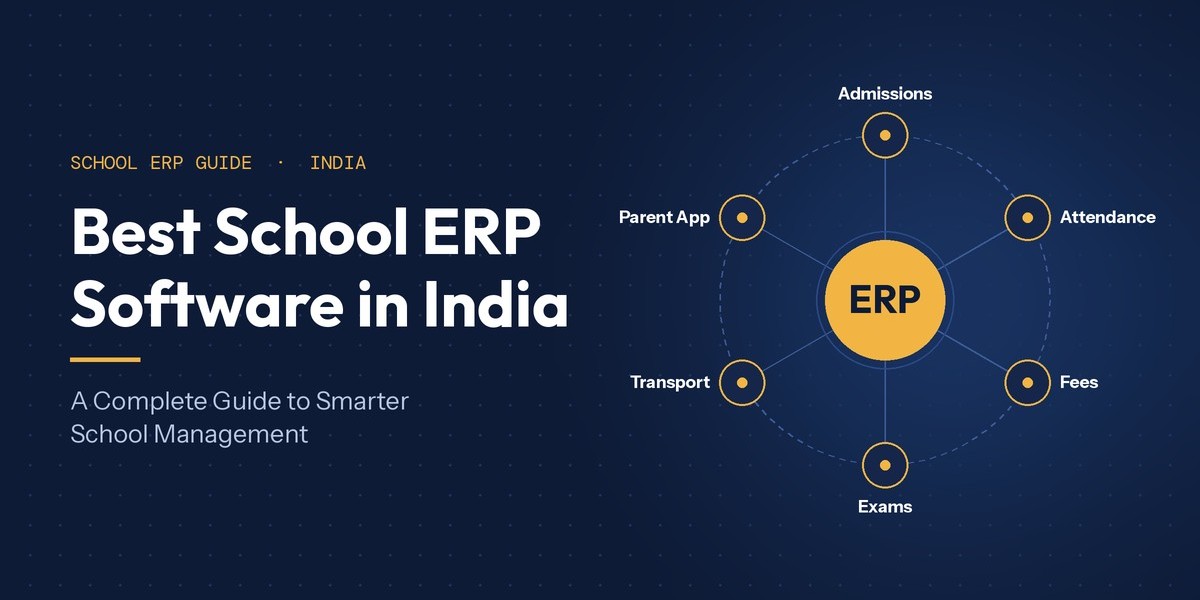
That's why so many schools are now looking for the best school ERP software for their needs. A school ERP puts admissions, attendance, fees, exams, communication and student records on one platform. You enter information once, and it shows up wherever it's needed.
In this guide, we'll walk through what school ERP software actually does, which features are worth paying for, how to compare your options, and what to sort out before you go live. If you're a school owner, principal or administrator weighing your choices, this will help you decide with confidence.
What Is School ERP Software?
School ERP software is a single digital system that runs a school's admin, academic and finance work from one place. Instead of the accounts office, exam cell, transport desk and class teachers each keeping their own records, everyone works from the same data.
Here's where it gets useful. Say a new student joins Class 6. Once the front office enters her details, they flow straight into the class list, the attendance register, the fee schedule and the parent app. Nobody types her name four times. Later, when teachers enter exam marks, report cards are ready without anyone copying roll numbers from one sheet to another.
You'll often hear school management software used for the same thing. Strictly speaking, it's the wider term for any tool that helps run a school. An ERP is the joined-up version: one platform where admin, academics, fees, communication and records all talk to each other.
Why Modern Schools Need School Management Software
Schools don't switch to software because it's trendy. They switch because the old way starts costing too much time and causing too many errors. Do any of these sound familiar?
Paper everywhere: Admission forms, TCs and attendance registers fill up cupboards, are slow to search, and sometimes go missing.
The same data, written three times: The front office, accounts and the class teacher each note a student's details. A parent changes their number, and only one record gets updated.
Roll calls that eat into lessons: Then someone still has to total the monthly attendance by hand.
Fee tracking headaches: Matching receipts, instalments, concessions and defaulters can take days at the end of every term.
Exam season stress: Entering marks, working out grades and preparing report cards in spreadsheets is an open invitation for mistakes.
Messages that never reach home: Circulars get stuck in school bags, and calling every parent one by one just doesn't scale.
No clear picture for leadership: The principal has to chase three departments just to know where things stand.
The right system fixes this by capturing data once, doing the routine maths for you, and showing the right information to the right person. Your staff get hours back every week, and they can spend them on students instead of paperwork.
Essential Features to Look for in the Best School ERP Software
Every school runs a little differently, but a few modules do the heavy lifting in almost every setup. Here's what each one should do for you day to day.
Admission and Student Information Management
This is where a student's record begins. A good system logs enquiries, registrations, documents and parent details online. Once a child is admitted, the enquiry turns into a full student profile with no retyping. Reception can also keep a visitor log, so follow-ups don't slip through the cracks.
Attendance Management
Marking attendance should take a minute, not ten. Teachers can do it from their phones. If you want to go further, biometric or RFID devices can record students and staff as they walk in. Monthly totals and low-attendance alerts are worked out automatically.
Fee and Financial Management
Set up fee structures, instalments, concessions and late fines once, and the system tracks the rest. With online fee payment, parents can pay from home, and each payment lands against the right student's account. Accounting and payroll tools give you the same clarity across the school's wider finances.
Examination and Report Card Management
Teachers enter marks once. The software calculates totals, grades and ranks using your school's own scheme. Report cards for a whole class come out in minutes rather than days, with far fewer copying errors.
Timetable, Lesson Planning, and Assignments
Coordinators can build timetables and check lesson plans against the syllabus. Teachers can share homework and assignments digitally, so nothing depends on a student remembering to copy it down. Some systems also handle live classes and classroom observation notes.
Staff Management and Payroll
Staff records, recruitment, leave, appraisals and salaries belong in one place. When staff attendance feeds straight into payroll, month-end calculations become a lot less painful.
Transport and Route Management
If your school runs buses, a transport module keeps track of routes, stops, vehicles and which child rides where. Add GPS tracking, and parents can see where the bus is instead of calling the school.
Parent-Teacher Communication
SMS, email, WhatsApp messages, circulars and app alerts should all go out from inside the system, using the contact details you already have. A two-way communication portal also lets parents send leave requests or ask how their child is doing.
Dashboards and Reporting
The principal, management, staff and students each get a dashboard that fits their role. Ready-made reports on fees, attendance and results help you spot problems early and make decisions faster.
Library, Inventory, and Other Administrative Modules
Bigger schools may also want library, inventory, hostel or canteen management. Not every school needs them on day one, but it helps to know you can add them later.
How to Choose the Best School ERP Software in India
There's no one product that suits every school. The best school ERP software in India for a 400-student primary school in a small town will look very different from what a multi-branch senior secondary group needs. So rather than chasing the biggest name, judge each option against your own school. Here's a simple checklist:
School size and needs: Can it handle your student strength, your branches and your board's grading scheme?
Ease of use: Could a teacher mark attendance, or a parent check fees, without a training manual?
Modules and customisation: Can you start with the basics and add more later? Can it follow the way you already work?
Mobile access: Do parents, students, teachers and admins each get their own login or app?
Data security: Who can see what? Where is the data stored, and who owns it?
Integrations: Will it work with biometric or RFID devices, payment gateways, GPS, SMS and WhatsApp?
Setup and training: Will the vendor move your existing data across and train your staff?
Support and growth: How quickly do they fix problems, and can the system grow with you?
Cost and value: What's included in the price, and what will you pay every year?
One tip that saves a lot of regret: ask each shortlisted vendor for a live demo using your own scenarios. Ask them to process a sibling fee concession or print a term report card in front of you. You'll learn more in 30 minutes than from any brochure.
Understanding School ERP & LMS Software
An ERP and a learning management system (LMS) do different jobs. The ERP runs the school: admissions, attendance, fees, staff, transport and reports. An LMS supports the learning itself, through study material, assignments, online classes, quizzes and progress tracking.
The two work best together. Class lists and timetables from the ERP decide what each student sees in their learning space, and assignment results flow back into academic records. That's why many vendors now offer school ERP & LMS software as one package.
Just check what "LMS" means in each product. Some offer full content libraries and online tests. Others cover a narrower set, such as homework, lesson plans and live class scheduling. Ask to see the exact learning tools your teachers will use every day.
The Role of Student Management Software in Indian Schools
Every decision you make about a student depends on having the right information. Student management software keeps all of it in one profile: personal and parent details, admission documents, class history, attendance, exam results, fee status, transport route, and any wellness notes the school chooses to record.
The time savings show up quickly. Before a parent-teacher meeting, a class teacher can pull up attendance and recent marks on one screen. The office can issue a bonafide certificate or TC without digging through files. And when a parent updates their phone number, every department sees the change straight away.
It also helps you act sooner. A coordinator can spot students whose attendance has slipped below a set limit, or compare results across sections right after an exam. That means support can start in September, not after the finals. If you're comparing student management software in India, check how easily these reports can be filtered by class, section and date, and whether records are kept for alumni.
How an RFID School Management System Supports School Operations
RFID (radio frequency identification) works with a small chip inside a student or staff ID card and a reader that picks it up through radio waves. In schools, its most common use is attendance. A student taps or walks past a reader at the gate, and their entry is recorded. No roll call needed.
An RFID school management system really pays off when the reader is connected to your ERP. Gate entries can update the daily register, feed into monthly reports and, if you switch it on, send an alert to parents. Staff entries can link straight to leave and payroll records.
The benefits are practical: less class time lost to roll calls, fewer data entry errors, and a quicker answer to "who's on campus right now?" Some schools also use the same cards on buses or in the library.
It's worth keeping expectations realistic, though. What RFID can do depends on the cards, the readers, where they're placed and how the software is set up. A card records when it passes a reader. On its own, it doesn't track a child's every move or guarantee campus safety. Talk through your exact needs with the vendor before you buy any hardware.
Benefits of Education ERP Software for Teachers, Parents, Students, and Administrators
The real test of any education ERP software is whether it makes life easier for the people who use it every day. Here's how each group gains.
For Administrators and Management
You finally get a live view of the whole school. Fee collection, admissions, attendance and staff data sit on one dashboard instead of in five different registers. That makes it much easier to plan budgets, staffing and resources, and to answer the management committee's questions on the spot.
For Teachers
Less time totalling attendance or calculating marks means more time to teach. Lesson plans, homework and assessments live in one place, and working with the principal or other teachers is simpler when everyone sees the same records.
For Parents
Parents stay in the loop without visiting the school. Depending on what your school turns on, they can check attendance, homework, circulars, results and fee dues, and pay fees online in a couple of taps.
For Students
Students can see their timetable, assignments, exam dates and updates in one place. Older students especially like being able to keep track of their own progress and deadlines.
Why School Management Software in India Should Support Mobile Access
For most Indian families, the phone is the internet. Many parents will never open a desktop portal, but they check their phones dozens of times a day. That's why school management software in India has to work well on mobile, not just offer a shrunken version of a website.
On a phone, everyday information arrives instantly: holiday circulars, daily attendance, homework, exam timetables and results, and fee payment links if your school offers them. Teachers gain too, since they can mark attendance or post homework right from the classroom.
Separate logins for parents, students, teachers and admins matter more than people think. Each person sees only what they need. The app stays simple, and sensitive details, such as staff salaries or other children's records, stay private.
How a School Mobile App Improves Parent-School Communication
Most communication gaps between home and school aren't about effort. They happen because messages arrive late, get lost, or reach only some parents. A dedicated school mobile app closes that gap. Announcements, attendance alerts, homework, report cards, fee reminders and, where GPS is connected, bus updates all go straight to the parent's phone.
When you're searching for the best school mobile app in India for your school community, focus on three things:
It's easy to use. Parents with very different comfort levels with technology should find their way around without help.
Alerts arrive on time. An absence alert is useful at 9 a.m., not at 6 p.m.
Access is secure. Individual logins and safe payment channels protect family and financial details.
At the end of the day, the best app is the one your parents actually open. If you can, try it with a small group of families before rolling it out to the whole school.
How One Flawless Helps Schools Simplify Management
If you're building a shortlist, One Flawless School ERP is worth a look. It's a Delhi-based, cloud-hosted platform made for Indian schools. The team started out in digital marketing and web development, saw how much time schools were losing to manual work, and built a combined school ERP and LMS to fix it.
Its modules are grouped into ten areas, which line up neatly with the problems covered above:
Reception and admissions, with admission and visitor management.
Student management, including student services, wellness and alumni records.
Attendance for students and staff, with biometric and RFID options.
Finance, covering fees, accounting, payroll and online payments.
Examinations, with marked entry and automatic result cards.
Academics, including timetables, lesson plans, library, live classes, and inspections and observations.
Staff management, from recruitment to appraisals.
Communication through SMS, email, WhatsApp, homework sharing and to-do tasks.
Administration, covering transport, hostel, canteen, inventory, a management app and MIS reports.
Dashboards for the principal and management, staff, students and alumni.
The One Flawless app runs on Android and iOS, with separate logins for admins, students, parents and the transport in-charge. Parents get notifications, attendance updates, homework, online fee payment, exam results, circulars, an e-diary and live bus tracking. Through the communication portal, they can also view report cards, send leave requests and ask about their child's progress.
There are a few useful extras too. School website integration lets you post news, photos and videos, and answer website enquiries, all from inside the ERP. POS and barcode integration is also available. One Flawless tailors each setup to the school, so you pay for the modules you'll actually use. The easiest way to judge the fit is to book a free demo and see it handle your own day-to-day tasks.
Key Considerations Before Implementing a School ERP System
Picking the software is only half the job. How you roll it out decides whether your staff embrace it or quietly go back to their registers. Plan for these seven steps:
Map how things work today. Write down how admissions, fees, attendance and exams run now, including the tricky cases like sibling discounts or mid-year transfers.
Decide what you need first. Separate the must-haves for day one from the nice-to-haves you can add later.
Clean your data. Fix duplicates and old phone numbers before you move records across. Bad data in a new system causes the same old problems.
Train every group. Office staff, teachers and parents each need short guidance made for their role. Pick a few confident teachers to act as go-to helpers.
Set access rules. Decide who can see or edit fees, marks and personal details, and ask the vendor how your data is stored and protected.
Check your devices. Make sure biometric or RFID readers, payment gateways, SMS, WhatsApp and GPS devices all work with the system before you buy.
Think ahead. Ask about support response times, updates, and how the system will cope as you add students, branches or modules.
In the end, the right school ERP is the one that fits how your school works, feels easy for teachers and parents, and comes with support you can count on. Start by listing your three biggest headaches, then ask every vendor to show you exactly how they'd solve them. If you want an India-focused platform that brings ERP, a parent and staff app, and hardware integrations together, put One Flawless on that list and book a demo.






